
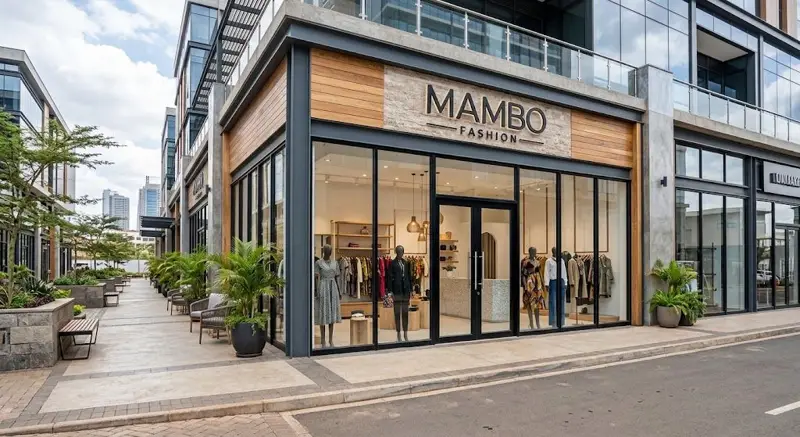
In a boutique, one dress is really twelve products: six sizes in two colours. Count them by hand and the shelf never matches the book. Boutique management software Kenya shop owners can use counts every size and colour on its own, so you know what is on the rail and what to restock.
This guide is for owners of clothing, fashion and shoe shops, from a Gikomba stall moving to a shop to a boutique in Westlands or Nyali.
What boutique management software does
It joins the till and the stock, with the extras fashion needs: sizes, colours, tag scanning and exchanges. You may call it a boutique POS, clothing shop management system, fashion store POS or apparel store POS; it is one tool. The clothing industry page has the details.
Sizes and colours as separate items
In Afritelligence each size and colour is its own item with its own stock count and barcode. A black dress in size M is not the same line as a black dress in size L. That makes clothing inventory honest: you see that the mediums are gone while the larges sit unsold. The same works for a shoe shop, where sizes 38 to 44 each need their own count, and for a garment shop POS with many styles.
Scan the tag at the till
Stick barcode tags on your stock and the cashier scans the tag; the right size and colour goes on the receipt. Customers pay by M-Pesa, cash, card or a mix, and receipts print or go on WhatsApp with your tax ID. See point of sale.
Exchanges and returns
Wrong size is the most common return in a boutique. Take it back, put the stock right and refund in cash, M-Pesa or to the customer's account. The count stays correct, so you do not sell a size you no longer have.
Which styles actually sell
Reports and Insights show best sellers by item, so you reorder what sells and stop buying what does not. For fashion retail software this is the most valuable part: it replaces guessing with your own sales numbers. Reports also give profit, because each sale carries what the goods cost you. See inventory.
Customers, credit and more than one branch
Regular clients can be saved with their purchases, and a trusted customer can be given a credit limit. If you open a second shop in another town, each branch has its own stock and till, and transfers between them are recorded. See branches and staff.
Getting started
Load your items from a CSV, print tags, count opening stock and start selling. It runs in the browser, so there is nothing to install. It is a monthly subscription per branch; see the prices.
Running a boutique day to day
Imagine new stock arriving on Friday: twenty dresses in four sizes. You enter the delivery, each size and colour with its quantity, and tag them. On Saturday the cashier scans tags as customers pay by M-Pesa. By Sunday evening the dashboard shows which dresses sold, and the reorder list shows which sizes are almost finished. On Monday you call your supplier with an exact list instead of a guess.
Seasons matter in fashion: school uniforms in January, dresses for December. Past sales show what moved in each season, so you plan purchases from your own numbers. Because profit uses the real cost of each delivery, you also see whether a discount sale still made money. Staff can have their own logins, so every sale is recorded against the cashier who made it. See reports and branches and staff.
Tips for a smooth start
Start small. Add your best-selling items or main services first and sell for a week before loading everything. Ask each staff member to use their own login so records show who did what. Check the dashboard every evening for a few minutes: sales, cash and anything that looks odd. Keep your records honest from day one and the reports become more useful every month. If you get stuck, support is available on WhatsApp. You can see the prices and sign up free to try it with your own business before you commit.
Frequently asked questions
Can I track sizes and colours? Yes, each is its own item.
Can customers exchange items? Yes, returns put stock back.
Is it an online shop? No. It is for the shop till and stock, not for online checkout.
Run your shop on Afritelligence
POS with M-Pesa, stock, suppliers, credit and intelligent Insights — on the phone or computer you already have.
Sign up free