
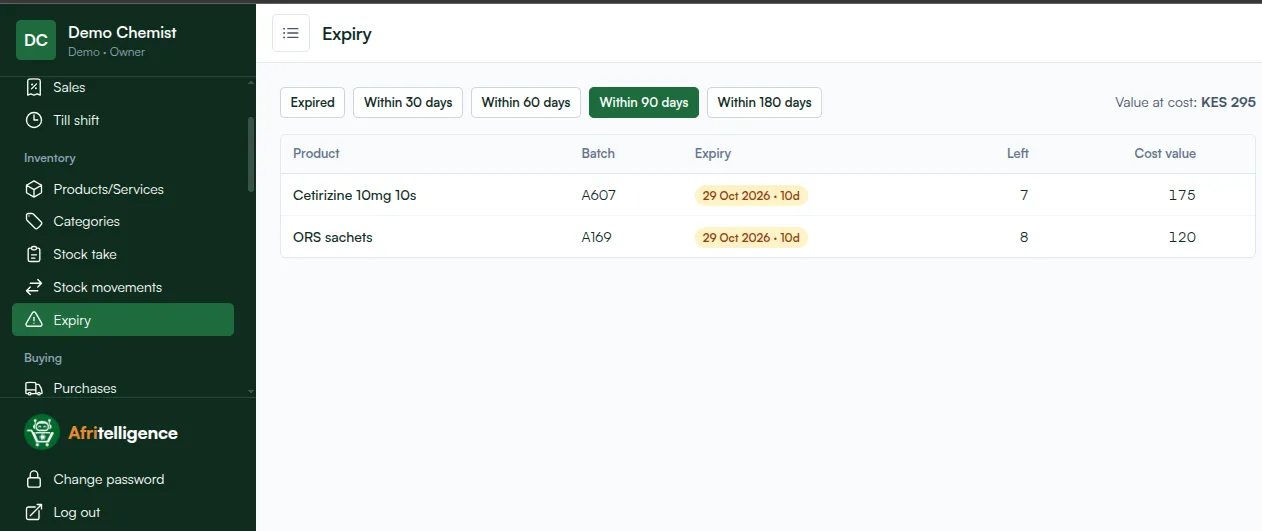
Stock is a pharmacy's biggest investment and its biggest risk. Too little and customers go next door; too much and it expires on the shelf. Good pharmacy inventory management is about knowing exactly what you have, how fast it sells and when it expires. Here is how to do it well in a Kenyan chemist.
1. Know your stock by batch
A pharmacy can't treat "Amoxyl 500mg" as one pile. Each delivery is a batch with its own expiry date. Record the batch number and expiry date when stock arrives, and keep them through every sale and return. That's what makes expiry control possible.
2. First expiry, first out (FEFO)
Sell the batch that expires soonest first. A pharmacy system does this on every sale; on the shelf, pack the earliest dates in front. Expired batches should stop being sellable automatically.
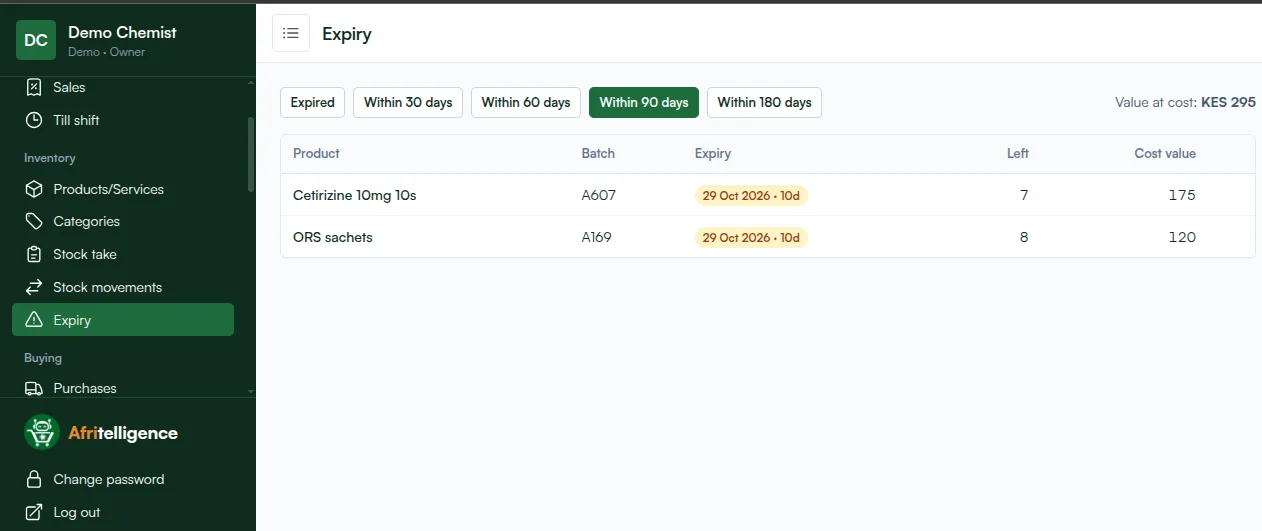
3. Watch expiry in windows
Review expiry in four windows:
| Window | What to do |
|---|---|
| Within 30 days | Sell at the front, discount slow movers, write off what expires |
| Within 60 days | Return to the supplier if your terms allow |
| Within 90 days | Stop reordering, push sales |
| Within 180 days | Plan purchases so you don't over-buy |
4. Set reorder levels from real sales
For each product, set the level at which you reorder: roughly what you sell between supplier visits, plus a little buffer. Fast movers (ORS, paracetamol, cetirizine) need higher levels; slow movers lower ones, so they don't expire. A system that suggests reorders from actual sales does the arithmetic for you.
5. Count regularly
Do a stock take monthly, and weekly for high-value or fast-moving items. Compare the count with the system. A small difference is normal; a growing one means a leak: theft, unrecorded sales, wrong deliveries or breakage.
6. Control deliveries
Check every delivery against the supplier's invoice before you accept it: quantity, batch, expiry and price. Record it as a purchase straight away, so the stock, the cost and what you owe the supplier are all correct.
7. Track cost, not just quantity
Buying prices change. When cost goes up and your selling price doesn't, your margin shrinks without you noticing. A system that updates the average cost on every delivery shows your true gross profit.
8. Review monthly
Each month look at:
- your best and worst sellers,
- value of stock expiring in the next 90 days,
- stock take differences,
- gross profit by category.
Afritelligence does all of this as part of its pharmacy POS system in Kenya: batches and expiry, FEFO, reorder suggestions, stock takes and supplier purchases. Read about batches and expiry tracking or see the prices.
Key numbers for pharmacy stock
- Stock value at cost: how much money is sitting on your shelves.
- Expiring value: stock at cost expiring within 90 days. Keep it as low as possible.
- Stock take difference: the gap between system and shelf after each count.
- Gross margin by category: which shelves earn the most per shilling invested.
- Days of stock: how long current stock lasts at today's sales rate.
Frequently asked questions
How often should a pharmacy do a stock take?
Monthly for the whole shop and weekly for high-value or fast-moving items is a good rhythm for most chemists.
What causes stock differences in a chemist?
Unrecorded sales, deliveries not checked against invoices, breakage, returns not recorded and theft. Regular counts show which.
How do I decide reorder levels?
Start with what you sell between supplier visits plus a small buffer, then adjust using your sales history.
Should I buy in bulk for a discount?
Only for fast movers. Bulk-buying slow movers often costs more in expired stock than the discount saves.
Can I transfer stock between branches?
Yes. Branches keep their own stock, and you can move stock from one to another with a record of the transfer.
Run your shop on Afritelligence
POS with M-Pesa, stock, suppliers, credit and intelligent Insights — on the phone or computer you already have.
Sign up free