A dealer management CRM only helps if the team uses it every day. This guide sets it up the simple way, so salespeople find it easier than their notebook.
Step 1: decide your pipeline stages
Keep it short. A good pipeline for a car yard:
- New enquiry: they called, walked in or messaged.
- Contacted: a salesperson spoke to them.
- Test drive: booked or done.
- Negotiating: price, trade-in or installments being discussed.
- Won or Lost (with the reason).
Step 2: give every salesperson a login
Each salesperson sees their own leads and sales; the owner sees everything. When someone leaves, their leads stay with the business.
Step 3: capture every enquiry
Make it a rule: no enquiry without a lead. Record the name, phone, the car they asked about and the source (walk-in, referral, online, social media). It takes less than a minute.
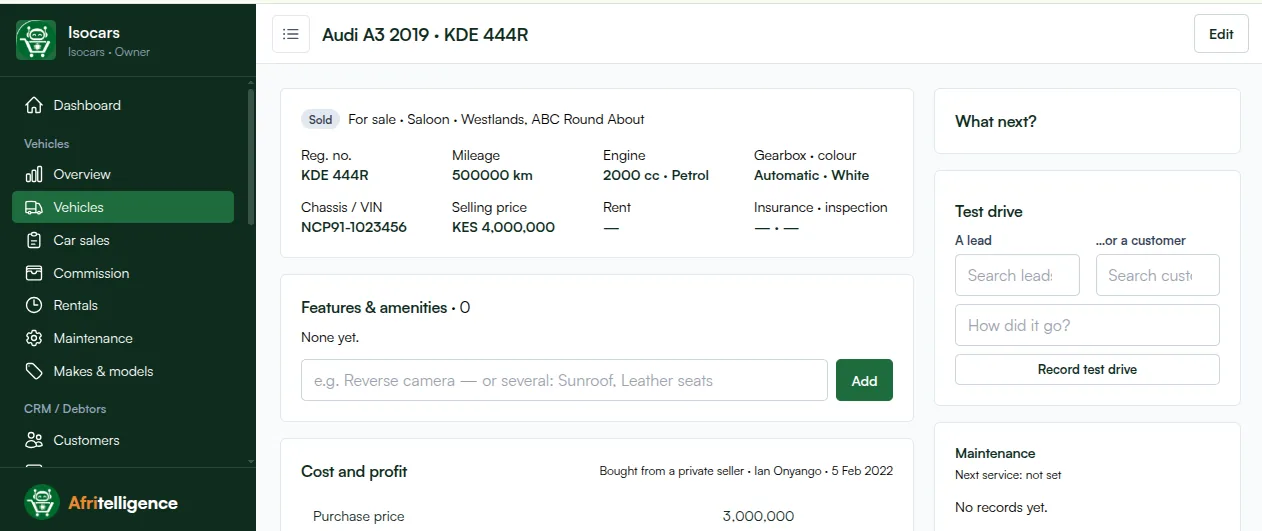
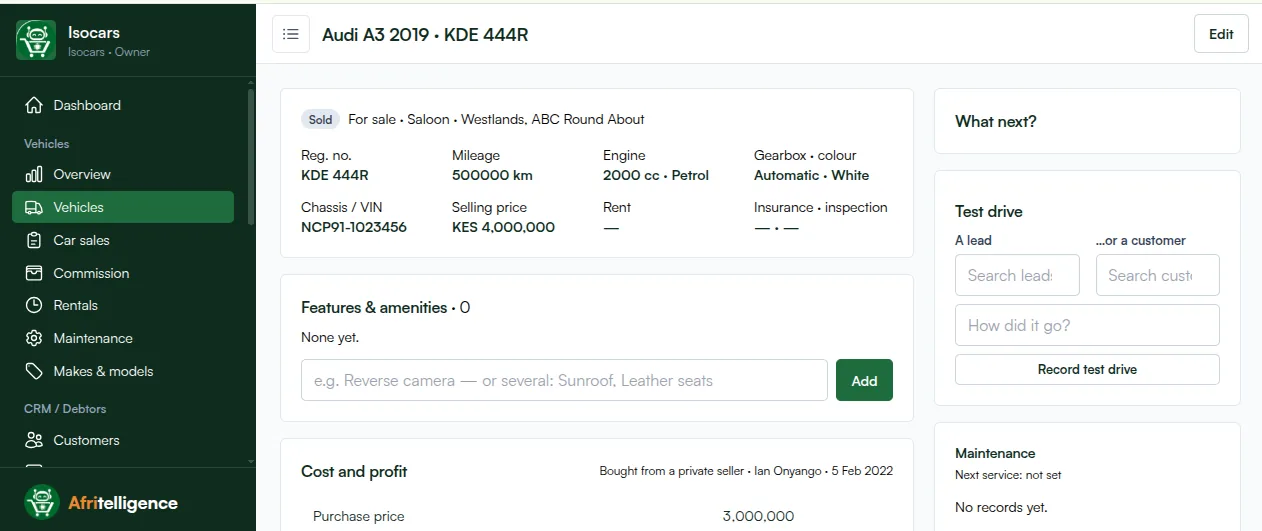
Step 4: record test drives on the car
On the car's page, record each test drive with the lead or customer and a note on how it went. You will see which cars get driven but don't sell, which usually means a price or condition problem.
Step 5: set a follow-up for every open lead
No open lead without a next step and a date. Salespeople start each day with their follow-ups list, and can add them to their own phone calendar.
Step 6: send quotes from the system
Quote a car for cash or installments. When the buyer agrees, open the sale from the quote so the price and buyer carry over and the lead is marked won.
Step 7: review every Monday
- New enquiries last week, by source.
- Test drives and conversion to sales.
- Overdue follow-ups by salesperson.
- Deals lost and why.
Common mistakes
- Too many stages, so nobody updates them.
- Leads kept on personal phones "for now".
- Follow-ups without dates.
- No reason recorded when a deal is lost.
Afritelligence includes this dealer management CRM inside its car dealer software in Kenya. see the prices.
Frequently asked questions
How many pipeline stages should a car yard have?
Five or six is enough: new, contacted, test drive, negotiating, won and lost.
What if a lead buys a different car?
Open the sale for the car they bought; the lead is still marked won and the history stays.
Can I reassign leads when a salesperson leaves?
Yes. The owner can give their leads to another salesperson.
Can follow-ups go to my phone calendar?
Yes. Each follow-up can be added to your own Google, Apple or Outlook calendar.
How long does it take to set up?
An hour for the stages and salespeople; then it fills up as enquiries come in.
Run your shop on Afritelligence
POS with M-Pesa, stock, suppliers, credit and intelligent Insights — on the phone or computer you already have.
Sign up free