Moving a car yard from notebooks to a car dealer system can be done in a day. Here is the order that works best.
Morning: the basics
Sign up and choose your business type (5 minutes)
Choose Car dealer & car rental. Vehicles, car sales, rentals, maintenance and makes & models switch on.
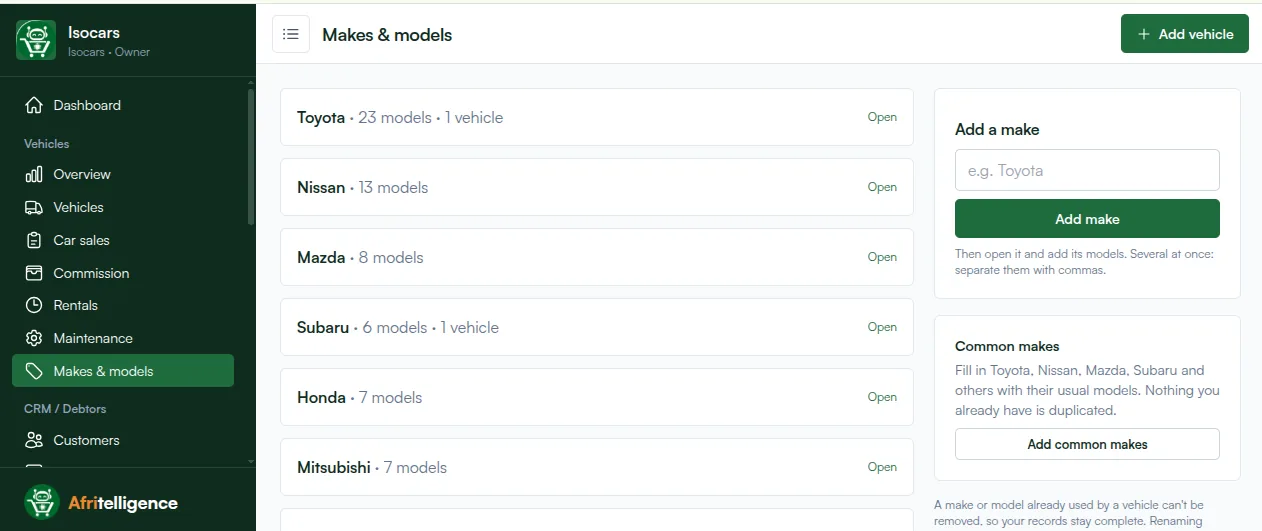
Makes and models (10 minutes)
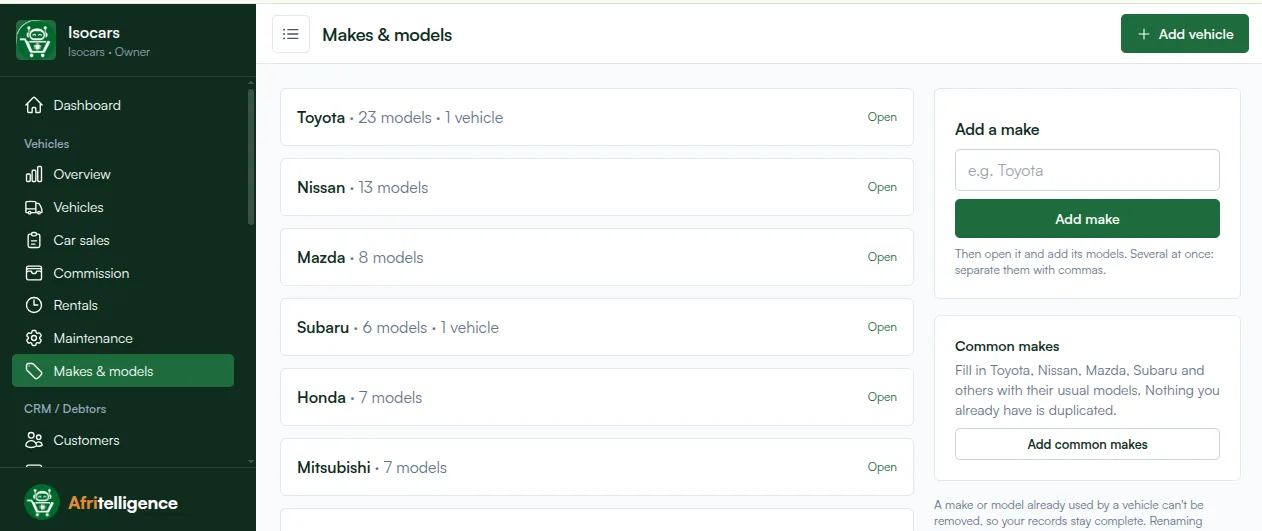
Tap Add common makes to fill in Toyota, Nissan, Mazda, Subaru, Honda, Mitsubishi and others with their usual models. Add any others you deal in.
Your vehicles (1 to 3 hours)
For each car on the yard, enter:
- make, model, year and body type,
- registration and chassis/VIN,
- engine, fuel, gearbox, colour and mileage,
- selling price (and hire rates if you also hire it out),
- purchase price, who you bought it from, and any costs so far.
Add a few photos and features (sunroof, leather seats, reverse camera) for the cars you advertise.
Afternoon: people and money
Salespeople (15 minutes)
Add each salesperson with their own login and commission rate.
Running installment sales (1 hour)
For each car sold on installments that is still being paid, enter the sale with the original deposit, months and due day, then record what has been paid so far. The schedule and balance follow.
Hire fleet (30 minutes)
If you hire out cars, set daily, weekly and monthly rates. Enter any bookings already running.
End of day: check the overview
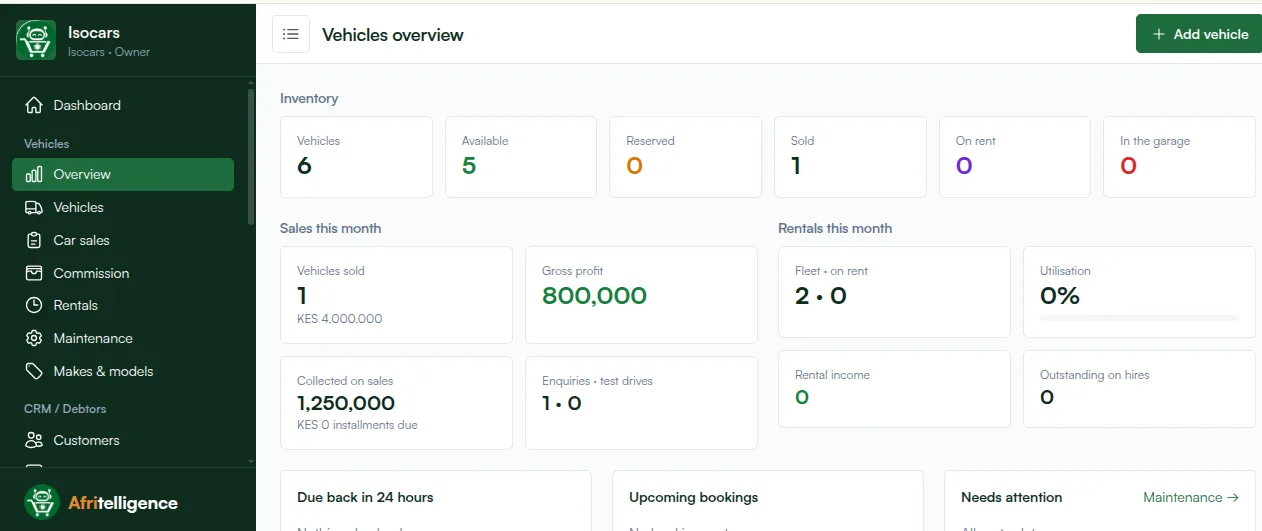
The overview shows vehicles available, reserved, sold, on rent and in the garage, this month's sales and gross profit, money collected and rental income.
The first week
- Record every enquiry and test drive.
- Record every cost on the car the day it is paid.
- Look at installments due this week every Monday.
Afritelligence is the car dealer software in Kenya used in this guide. see the prices.
Frequently asked questions
Do I need to enter old sales?
Only installment sales that are still being paid, so their balances and reminders are right.
Can I add a car without photos?
Yes. Add photos later; the car can be sold or hired straight away.
What if I have cars at two locations?
Record where each car is parked; the location shows on the car and in the list.
Can my staff use their own phones?
Yes. Each staff member signs in on their own phone with their own login.
How do I record a cost paid later?
Open the car and add the cost; the profit updates straight away.
Run your shop on Afritelligence
POS with M-Pesa, stock, suppliers, credit and intelligent Insights — on the phone or computer you already have.
Sign up free